


 Discover products
 Go to shop

Automation right where you need it.
Open interfaces, a shared data point model and individually programmable logic in a compact controller with an integrated web interface.
Explore IOZER basicThe IOZER platform
IOZER brings together automation hardware, local software and optional online services. Configure, connect and automate on site, complemented by a central device overview and firmware updates through IOZER connect.
Open interfaces, a shared data point model and individually programmable logic in a compact controller with an integrated web interface.
Explore IOZER basic
Keep track of your IOZER devices and receive new firmware. Automation continues to run locally on your device.
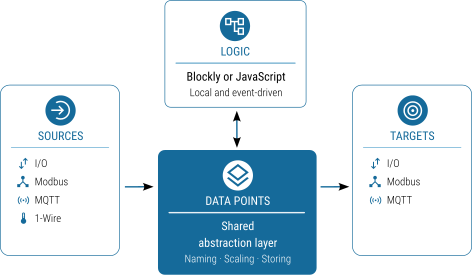
Explore IOZER connectIOZER brings values from inputs and outputs, 1-Wire, Modbus and MQTT together with internal values in a shared data point model. Your logic works with these data points rather than individual protocols. This keeps interface configuration separate from automation logic.
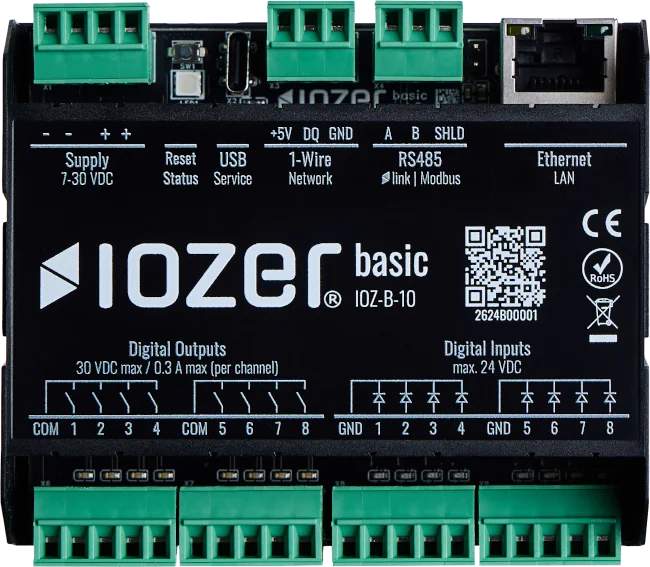
5 modules · 90 × 79 × 50 mm (W × H × D)
IOZER basic
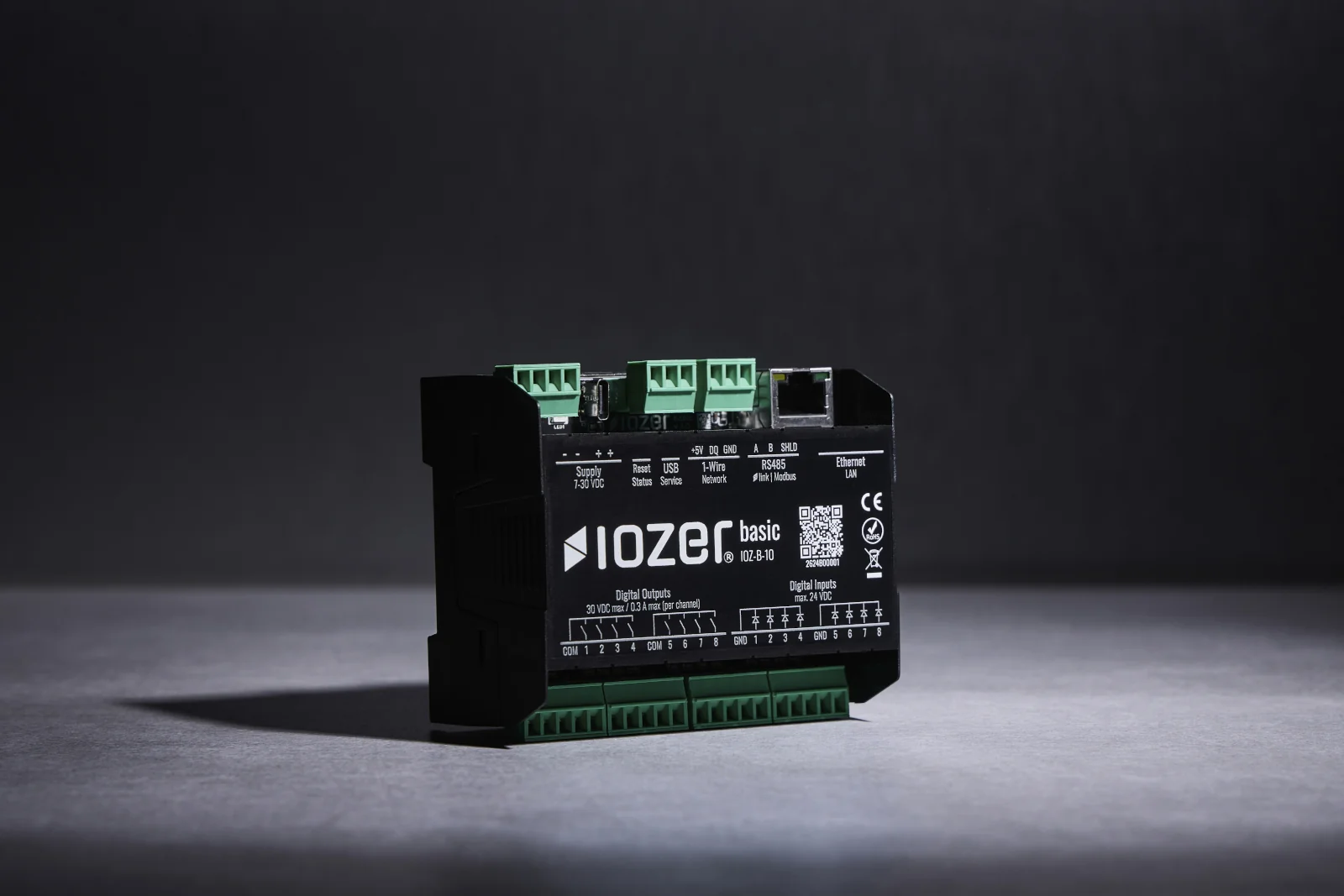
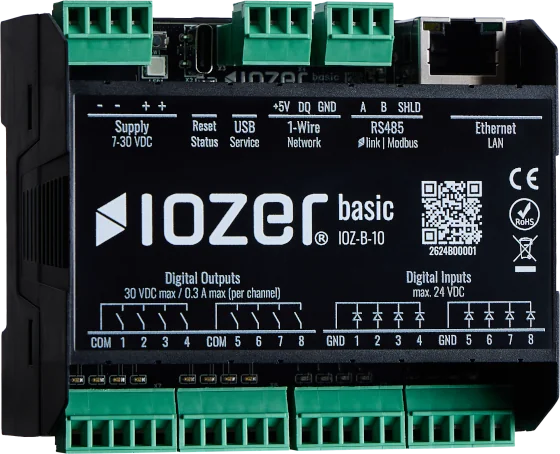
IOZER basic combines digital inputs and outputs, sensors and communication interfaces in a DIN-rail controller. Configuration and programming take place directly in the integrated web interface.
From standalone control to integrating existing installations, IOZER basic can be configured and programmed for a range of automation tasks.
Automation controller
Connect inputs, sensor values and outputs through local logic for building automation, decentralised control tasks and custom technical solutions.
Gateway & integration
Read measurements from suitable Modbus devices and make them available to higher-level systems through MQTT. Configured data points connect the interfaces.
Energy management tasks
Process power and temperature readings for individually configured enable logic, for example to use surplus PV energy with an immersion heater through a suitable external switching stage.
Retrofit
Integrate existing, electrically suitable push-buttons, contacts and devices into new workflows. Add local logic and open interfaces to existing installations without replacing every component.
Local logic
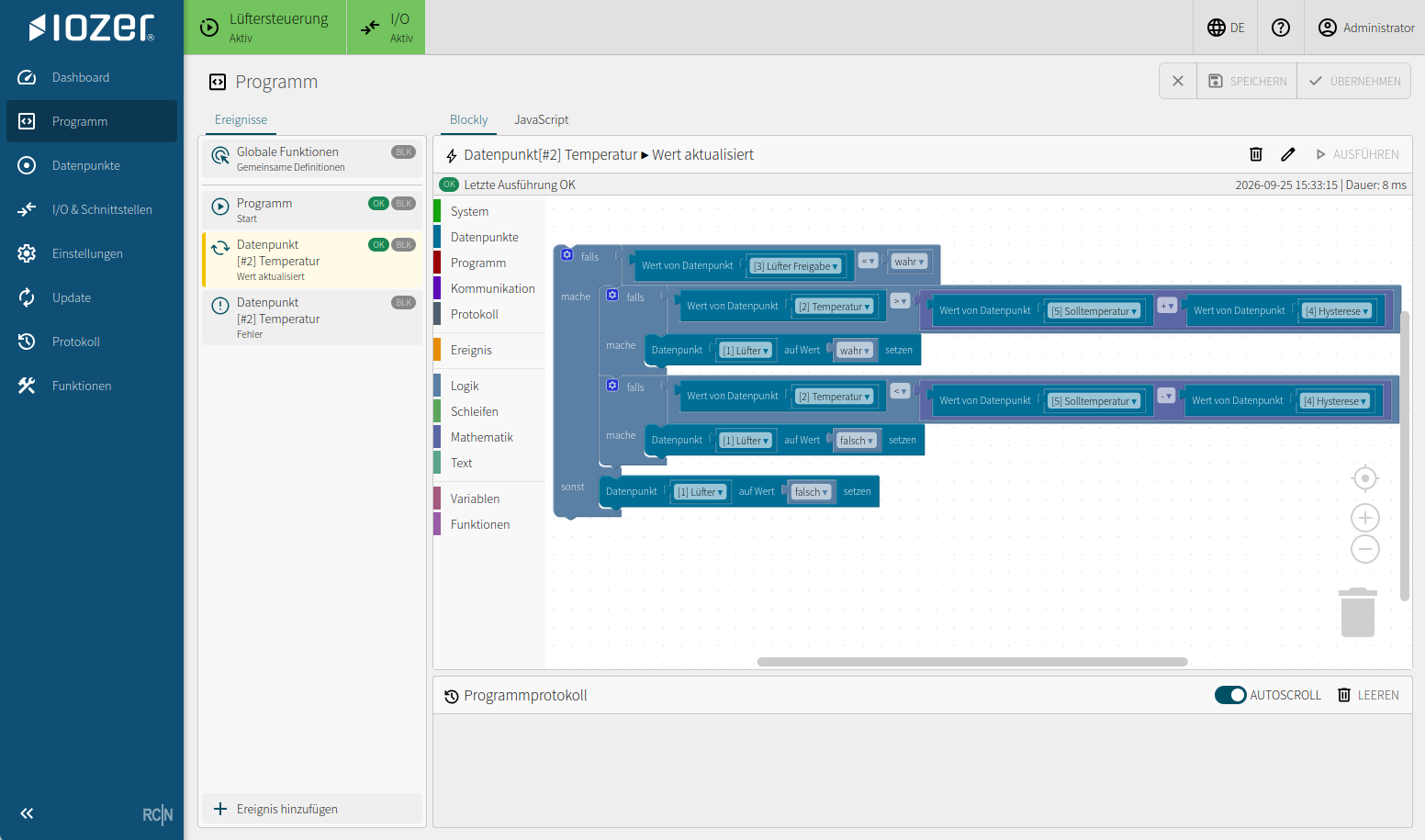
Create your workflows with Blockly or JavaScript directly in the browser. The logic responds to events such as value changes, schedules or communication errors and runs locally on IOZER basic.
 Enlarge image
Create workflows visually using blocks, without writing traditional source code.
Implement custom calculations and project-specific workflows directly in code.
Both programming options use the shared data point model. Choose the representation that suits your task.
IOZER connect
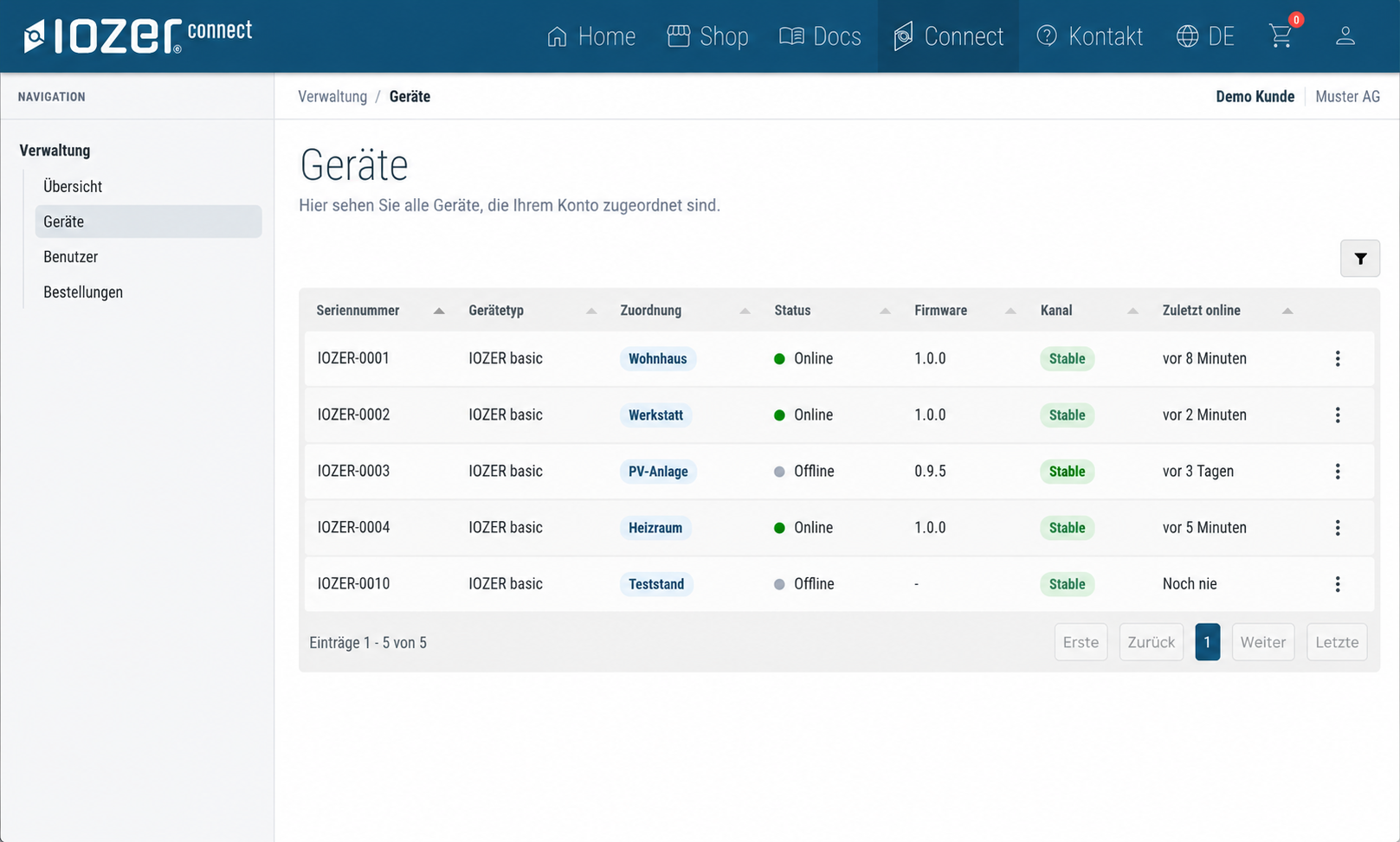
With IOZER connect Free, you can keep track of your assigned devices and access new firmware versions. The device overview and delivery of firmware updates are free of charge. Your automation logic continues to run locally on IOZER basic.
IOZER connect Free · Free of charge
 Enlarge image
Why IOZER?
Automation logic runs on the device. Local operation does not require a paid Connect package or a permanent connection to IOZER connect.
Established protocols enable the integration of suitable devices and systems from different manufacturers.
Adapt data points and logic to your task, from a standalone controller to an addition to an existing installation.
Signed firmware, Secure Boot and an individual device identity are part of the IOZER basic security concept.

ROCOON Automation GmbH uses essential cookies to operate this website securely. Google Analytics is loaded for audience measurement only with your voluntary consent.
You can change or withdraw your choice at any time through “Cookie settings” in the footer. Withdrawing consent has no disadvantages.

